How To Use The Feed
Pick your pace. We know you’re here to profit, not to read manuals. Choose the fastest way for you to master the feed and start turning math into money.
Alert to Bet
Watch the complete journey from a real-time alert to a placed bet. High-speed visual proof of the EV Kings feed.
Interactive Tutorial
Experience the actual feed interface. Test the settings and see how an alert is transformed into a bet.
Step-by-Step Guide
The complete blueprint. A detailed walkthrough of every filter, setting, and strategy to maximize your +EV profit.
Step-by-Step Guide
From setting up your filters to logging your first +EV bet. This is the complete roadmap to mastering the feed and securing your mathematical edge.
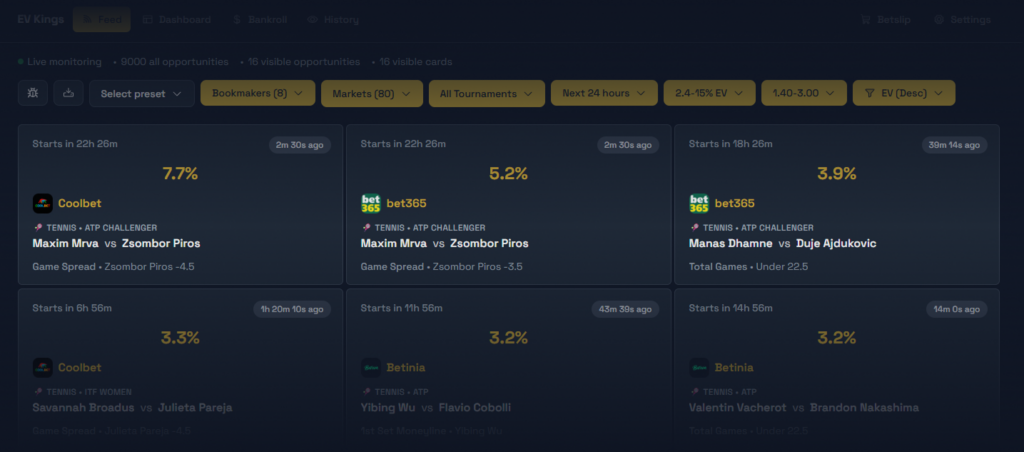
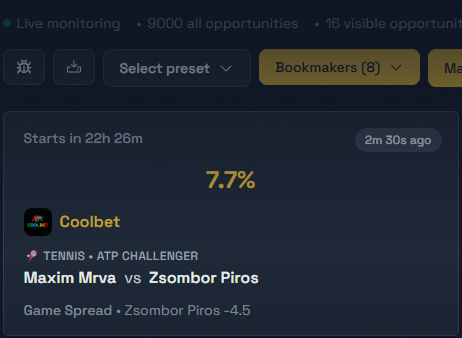
This is the Betting Feed. This is where you will spend about 90% of your time. It surfaces value opportunities in real-time, giving you a mathematical edge over the bookmakers.
In this guide, you will learn how to scan the feed quickly, filter efficiently to find your winning strategy, and execute bets with absolute confidence.
Set Your Bankroll
The very first step in your EV Kings journey is configuring your bankroll. This allows the software to provide exact stake recommendations for every single bet, tailored to your specific risk profile.
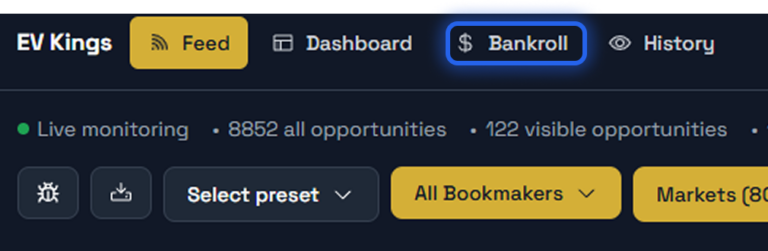

Click on Bankroll in the menu to access the bankroll settings. This will take you to the control panel for your Bankroll Management.
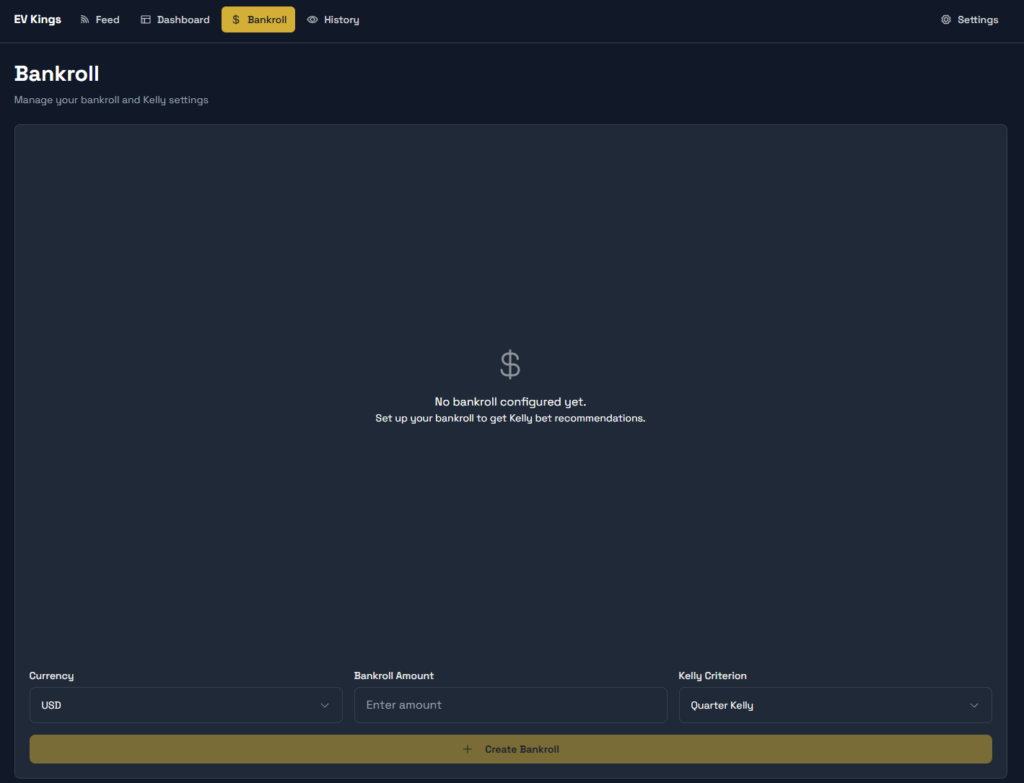
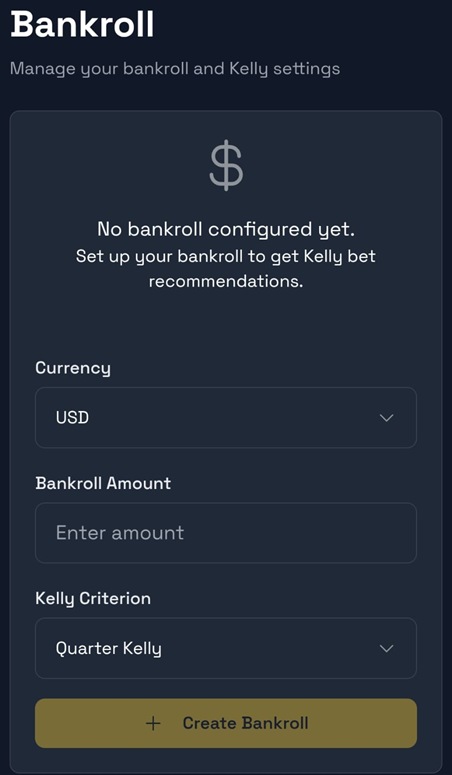
Inside the bankroll settings, enter your total starting capital and select your preferred currency. We strongly recommend starting with a Quarter Kelly setting. This conservative approach helps you manage variance and protects your bankroll during your initial stage.
By adjusting the Kelly fraction, you directly control your risk level and volatility:
Increase the fraction: Leads to a more aggressive strategy. While this offers higher potential growth, it significantly increases variance and the risk of larger drawdowns.
Decrease the fraction: Makes your strategy more conservative. This further stabilizes your bankroll and minimizes risk, though growth will be more gradual.
Managing Your Filters
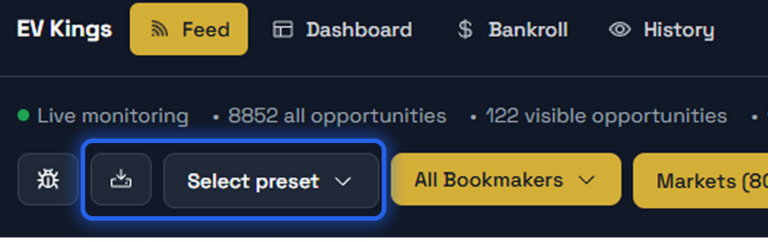
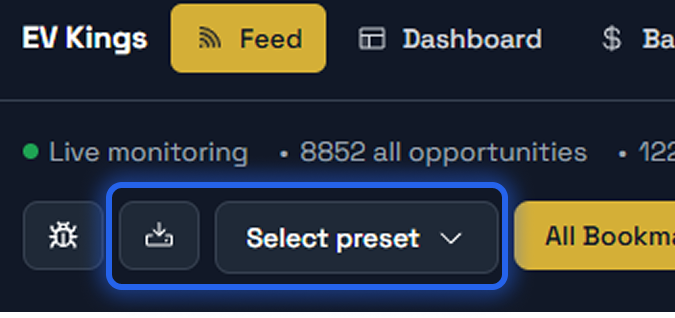
The filtering system is designed for speed and efficiency. You don’t need to manually adjust every parameter every time you log in.
Import & Export: Easily share your filter setups or move them between accounts. Simply use the import/export function to handle the raw filter data.
Select Presets: Use the Select Presets button to instantly toggle between your different saved strategies. Your setups are just one click away.
Future Use: Once you’ve found a configuration that works for your bankroll and strategy, save it as a preset to ensure consistency in your betting.
Now that we have covered how to manage and save your filters for maximum efficiency, we are ready to move on to the next crucial part of the interface: configuring your bookmakers.
NEXT STEP
Setting Up Your Bookmakers
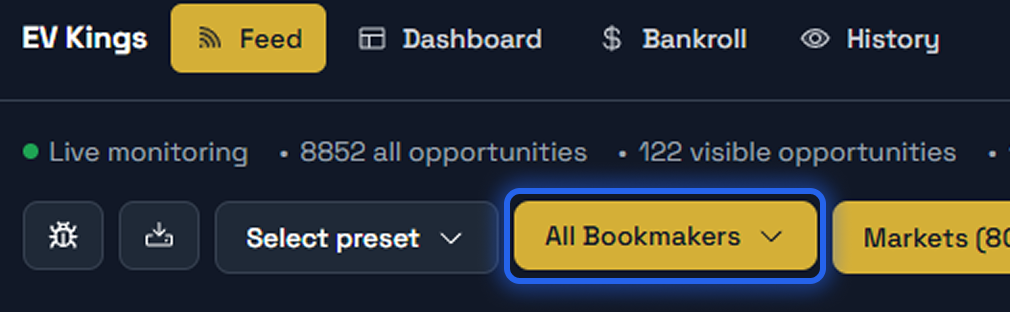
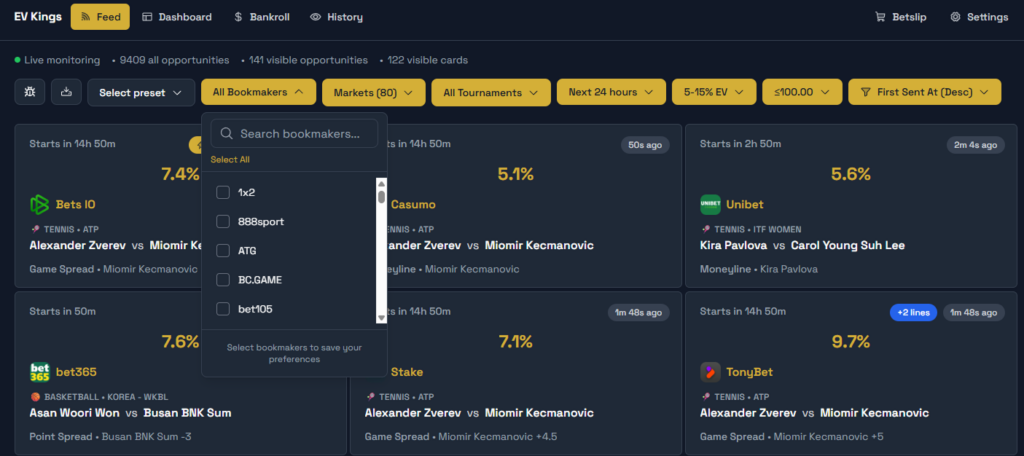
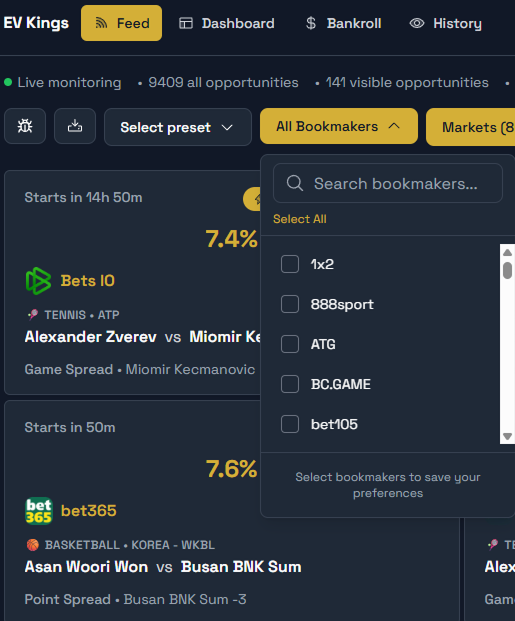
To ensure you only see opportunities that you can actually place, you need to define your active bookmakers.
Expand & Search: Click the button to expand the list. You can either scroll through the full list of available bookmakers or use the search function to quickly find specific ones.
Selection: Simply check the box next to each bookmaker where you hold an account.
Save Your Settings: Once you have selected all your bookmakers, make sure to save.
Filtered Results: After saving, the system will filter out all other data, showing you only the value bets available on your chosen platforms.
PRO TIP: THE MORE THE MERRIER
In the world of Value Betting, your reach is your greatest asset. While you can start with just a few, the strategy becomes significantly more powerful as you add more bookmakers to your arsenal.
Maximize Value: More bookmakers mean more opportunities to catch the absolute peak odds for every bet.
Higher Volume: You will unlock a much larger flow of Value Bets that match your specific filters.
Account Longevity: By spreading your turnover across multiple platforms, you reduce your footprint on individual sites, which helps protect your accounts over time.
The bottom line: The more active bookmakers you use, the faster and more consistently your bankroll will grow.
Now that you’ve selected your bookmakers, it’s time to look at the playing field. In the next step, we’ll head over to Markets & Tournaments to see where the actual bets take place.
PREVIOUS STEP
NEXT STEP
Markets & Tournaments
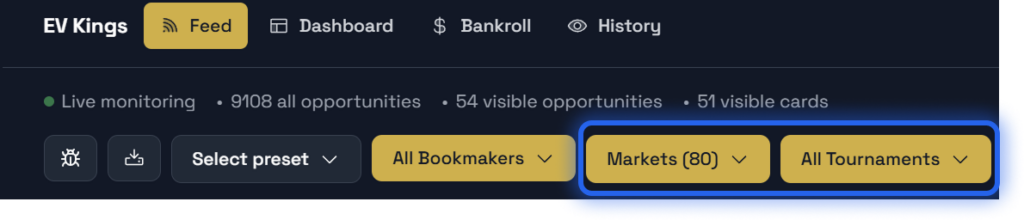
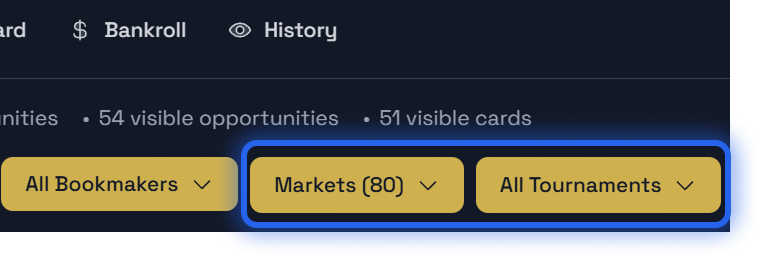
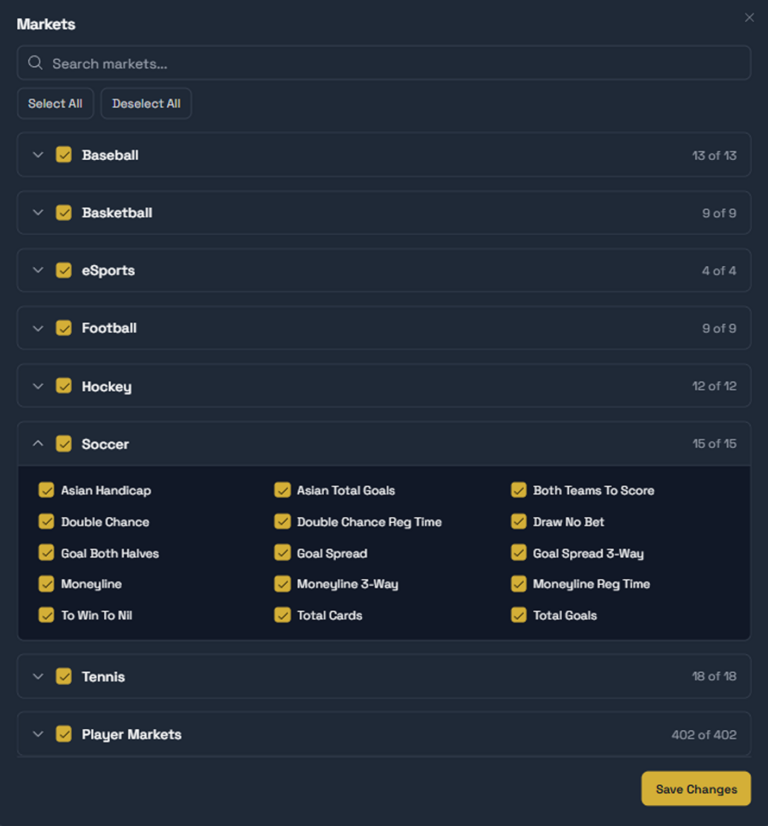
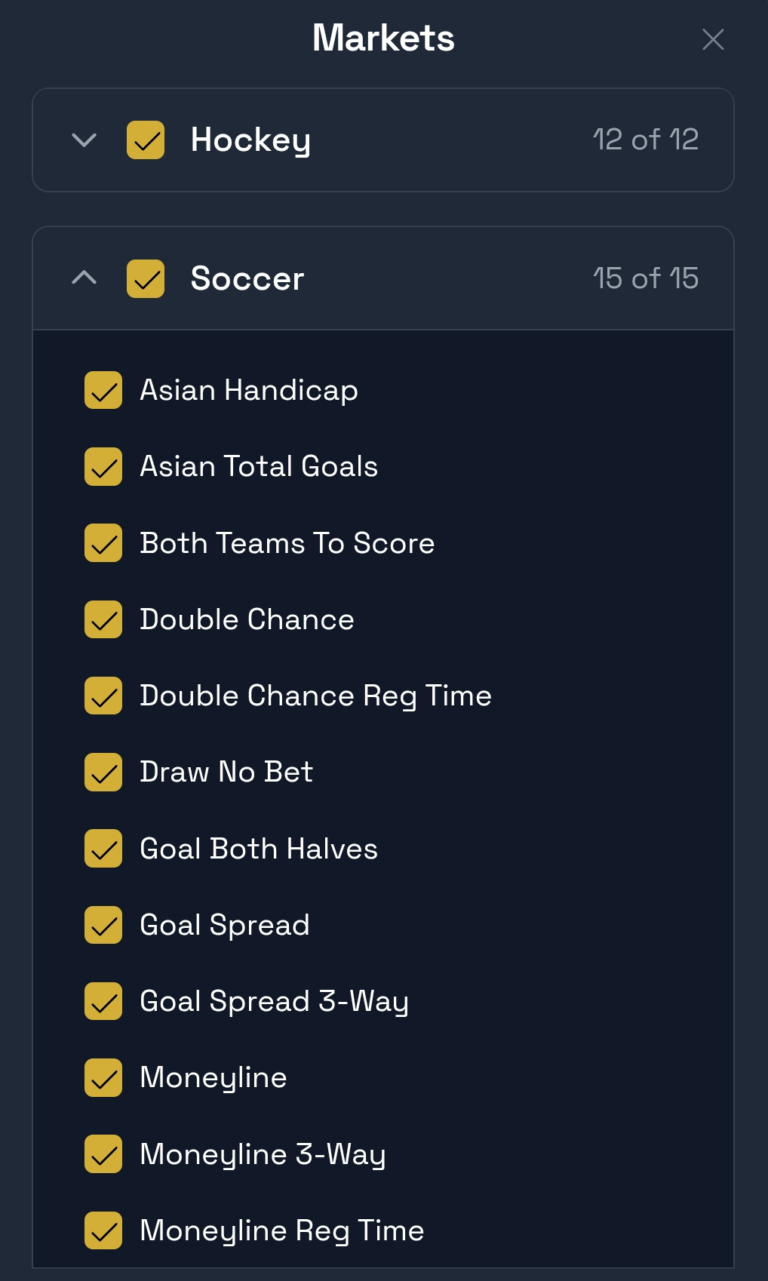
The sports and leagues included in the feed are carefully selected based on our historical data and proven profitability. However, you have full control over the specific markets you want to play on to ensure both profit and account longevity.
Selecting Your Markets
By clicking the Markets button, you see the full list of sports we track. While all these sports offer value, the specific markets (sub-categories) within them are where you can be strategic.
You can toggle specific markets on or off for each sport. For instance, in Soccer, you might choose to focus on high-liquidity markets like Moneyline and Totals while deselecting more obscure options.
PRO TIP: STAY UNDER THE RADAR
Our data shows that betting on “Main Markets” is the most effective way to stay under the radar. By deselecting niche sub-markets and focusing on the bigger ones, you blend in with recreational bettors. This allows you to collect the value we find for a much longer period before facing any account restrictions.
Selecting Your Tournaments
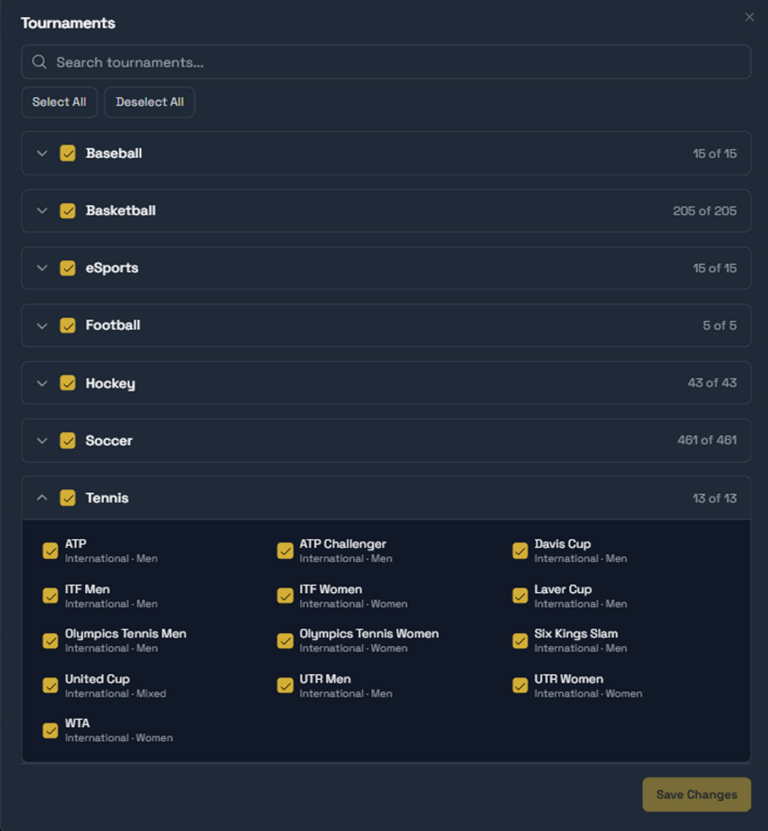
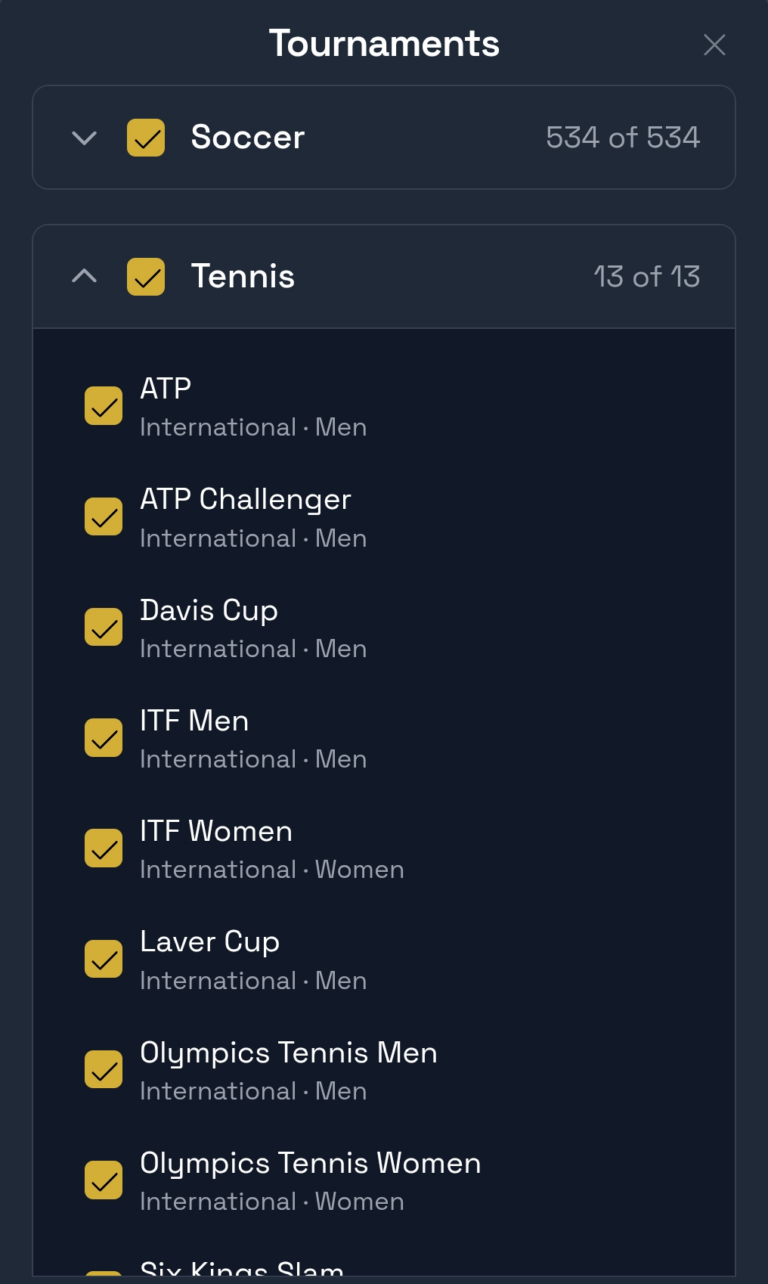
Just like with markets, you can refine which leagues and tournaments appear in your feed. While we only include leagues where we have a proven edge, the Tournaments button allows you to filter based on your personal strategy for account longevity.
By clicking the Tournaments button, you can search for specific leagues or use the “Deselect All” feature to only pick the top-tier competitions (like Premier League or NBA).
PRO TIP: THE "BIG LEAGUE" ADVANTAGE
If your goal is maximum account longevity, focus on the biggest tournaments. Bookmakers expect massive volume on major leagues, making it much harder for them to identify you as a professional value bettor. The more you stick to the “Big Leagues,” the safer your accounts will be.
Setting up your markets and tournaments is the foundation of account health. Now that you have defined where to play, the next step is to decide which specific bets to see based on odds, value, and timing.
PREVIOUS STEP
NEXT STEP
Fine-Tuning Your Edge


Once you have your basic filters and bookmakers ready, it’s time to fine-tune the feed. This step is about quality control—ensuring that the bets you see match your specific strategy and risk tolerance.
Advanced Feed Filters
Using the advanced options in the feed allows you to sharpen your edge and avoid unnecessary noise. By adjusting these settings, you ensure that every betting card shown is a high-value opportunity:
-
Min/Max EV: Set your threshold for Expected Value. Whether you want a steady volume with lower EV or only high-upside plays, this is where you define your profit margin. Setting minimum to 3.0% is a good way to start.
-
Odds Range: Narrow down the odds to fit your strategy. Many professionals prefer a specific range (e.g., 1.50 to 3.00) to keep variance under control.
-
Time to Match: Filter matches based on when they start. You can choose to see bets for the next few hours or look further ahead into the upcoming days.
PRO TIP: QUALITY OVER QUANTITY
Don’t be afraid to be picky. Fine-tuning your filters might result in fewer alerts, but the alerts you do get will be of much higher quality. Start broad and narrow it down as you become more comfortable with the market movements.
PREVIOUS STEP
NEXT STEP
The Betting Card
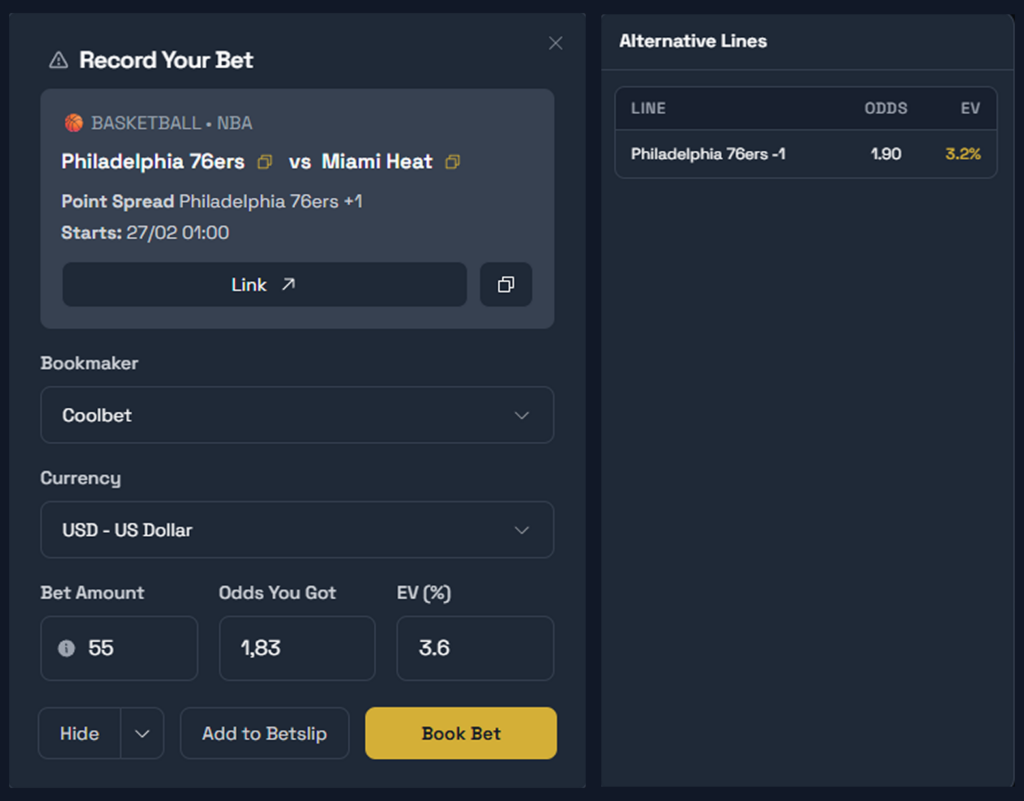
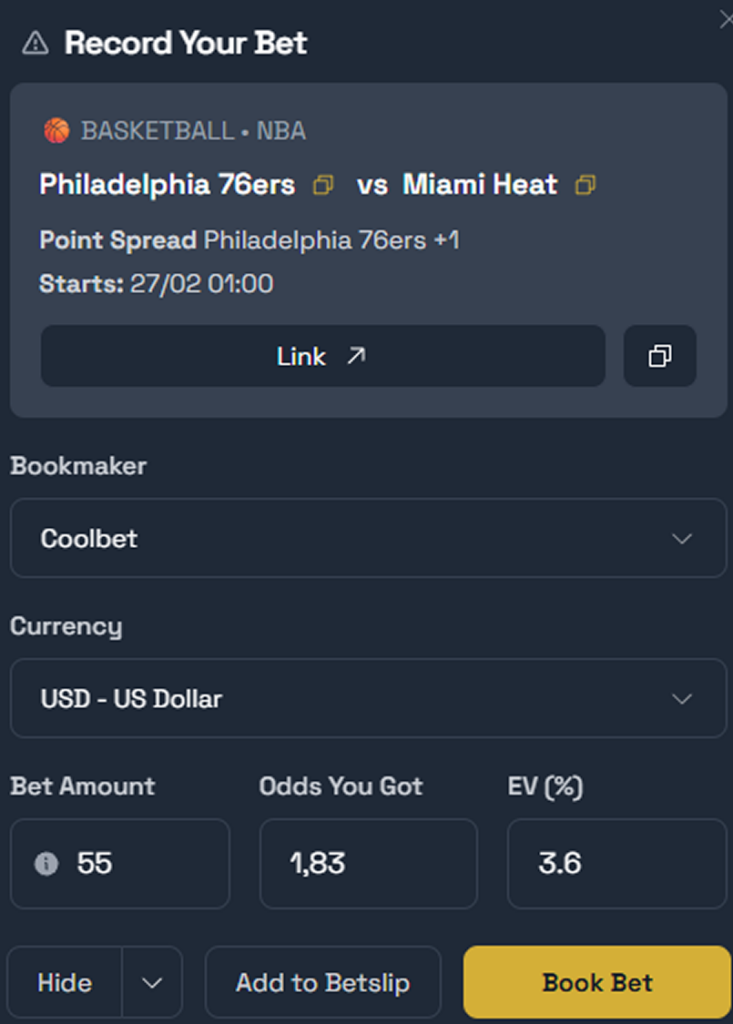
The feed is where the magic happens. Based on your personalized filters, the system scans the market to present you with value opportunities. Each entry in the feed is a potential edge, and the Betting Card is where you execute that edge.
Anatomy of a Value Bet
The Betting Card provides all the data you need to place your bet accurately and quickly:
Real-Time Calculations: See the current EV% and the optimal stake based on your bankroll.
Fast Navigation: Click the Link button to jump directly to the event. If a direct link is unavailable, use the Copy icon next to the team names to search manually on the bookmaker.
Booking vs. Hiding:
If the bet is placed: Click Book. This logs the bet in your Dashboard. What happens in your feed after booking is determined by your Hide bet after being booked settings:
Only this bet: Hides only the specific line you just booked.
This market on current bookmaker: Hides that specific market (e.g., Totals) for that bookie.
This market on all bookmakers: No more alerts for that specific market on any bookmaker.
All markets on this event for all bookmakers: Completely clears the match from your feed.
If the odds have dropped: If the bookmaker moves too fast and the value disappears, click Hide at the bottom left of the Betting Card. You can choose between Hide temporarily or Hide permanently. We recommend Hide permanently to keep your feed focused on active opportunities.
Alternate Lines
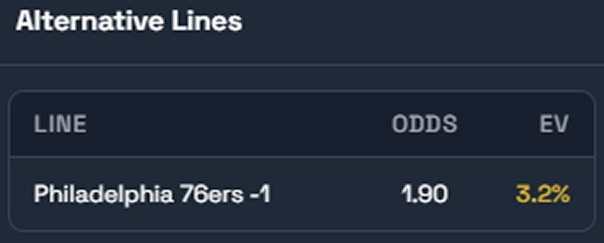
Sometimes a single event has multiple profitable lines. To keep your feed clean, we group these into a single card:
The Blue Indicator: A blue box with a number in the feed shows how many alternate lines are available.
Selection Menu: Inside the Betting Card, you can switch between these lines on the right side.
Execution Strategy: Choose to bet on the single best line or spread your risk across several alternate lines. When betting on multiple lines, it is highly advantageous to use different bookmakers or clones to diversify your exposure and protect your accounts.
Conflicting Bets
To help you manage your exposure, the system includes a built-in warning for conflicting bets. If you have already booked a bet on a specific event and a new alert appears for the same match, a warning will be displayed at the top of the Betting Card.
This allows you to make an informed decision: you might choose to skip the new alert to avoid betting on both sides of a game (which could cancel out your edge), or you might decide to proceed if the new line offers a different kind of value that fits your strategy.
PRO TIP: SMART EV PROTECTION
The system monitors odds in real-time. If the odds drop while you have the Betting Card open, you will see a warning: “This alert no longer matches your filters – EV filter failed.” This means the edge has dropped below your set threshold and is no longer a value bet. If this happens, you should skip the bet and move on to the next opportunity.
PREVIOUS STEP
NEXT STEP
Performance Tracking & Analytics
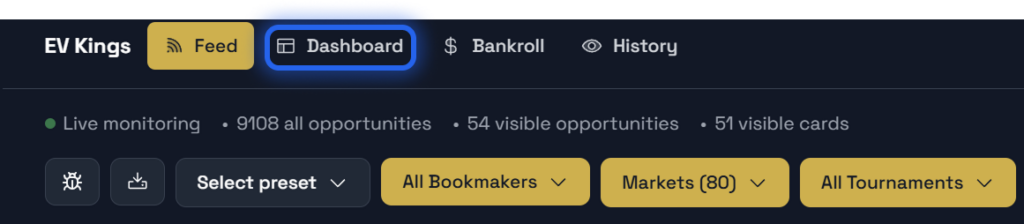
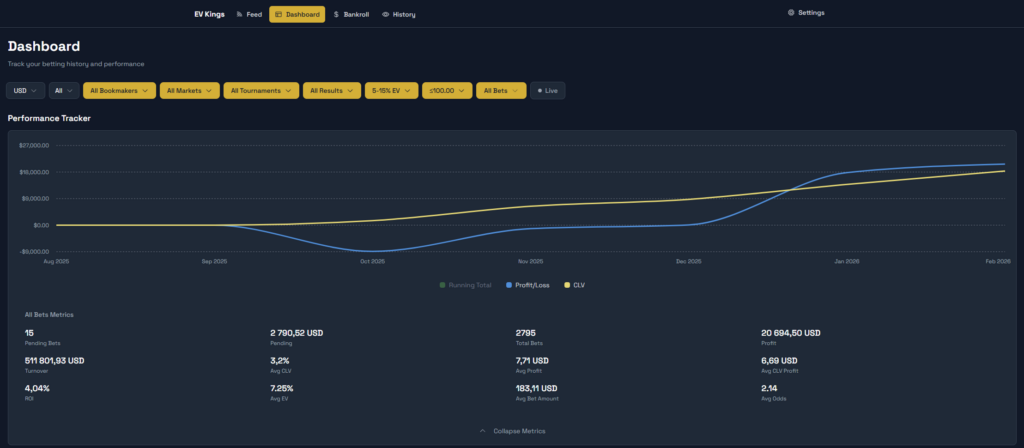
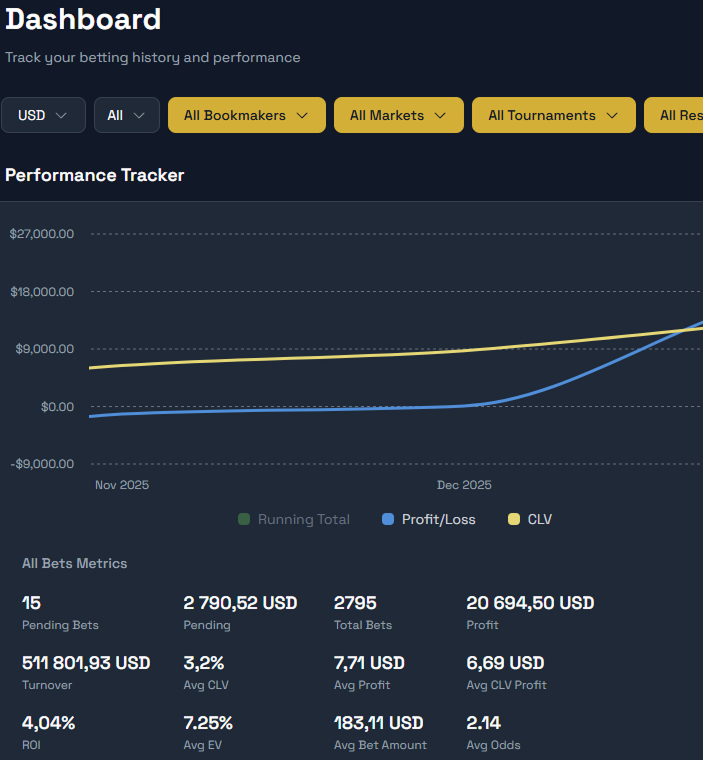
Our built-in dashboard is more than just a summary—it’s a powerful analytics tool. Every bet you place is tracked automatically, giving you a transparent view of your growth and the health of your betting strategy.
Live sweat

Keep track of the action in real-time. Use the Live filter to see which of your bets are currently in-play. A green indicator confirms the filter is active, showing only the matches currently happening in your Dashboard.
Visualize Your Results
The dashboard automatically grades your bets (Win/Loss) and visualizes your progress through intuitive charts. This allows you to treat your betting like a professional portfolio:
Comprehensive Filters: Analyze your performance by sorting results per Bookmaker, Sport, or specific Leagues. This helps you identify exactly where your biggest edge lies.
Beat the Closing Line (CLV): Track how often your bets beat the final market price. Beating the closing line is the ultimate indicator of long-term profitability.
Auto-Settling: No manual work required. The system automatically updates the status of your bets, so you can focus entirely on finding the next value opportunity.
PRO TIP: Manual Result Verification
While EV Kings automatically settles most bets, you can instantly update any pending results yourself. Just click the “Check all” button located right above your match list in the dashboard to fetch the latest scores and keep your analytics up to date.
PREVIOUS STEP
NEXT STEP
Profile & Account Settings

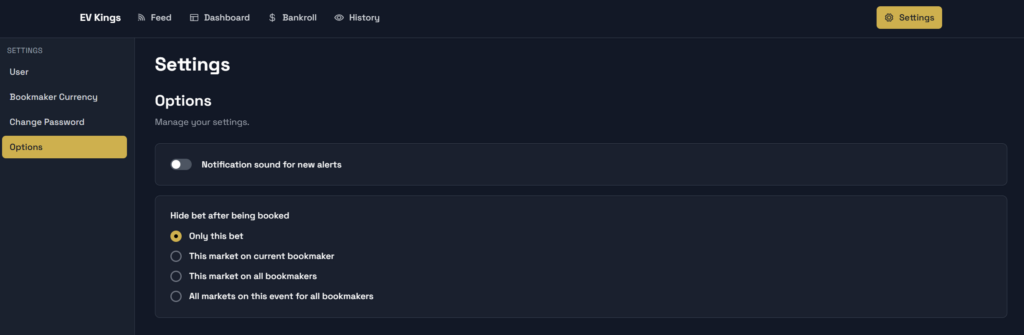
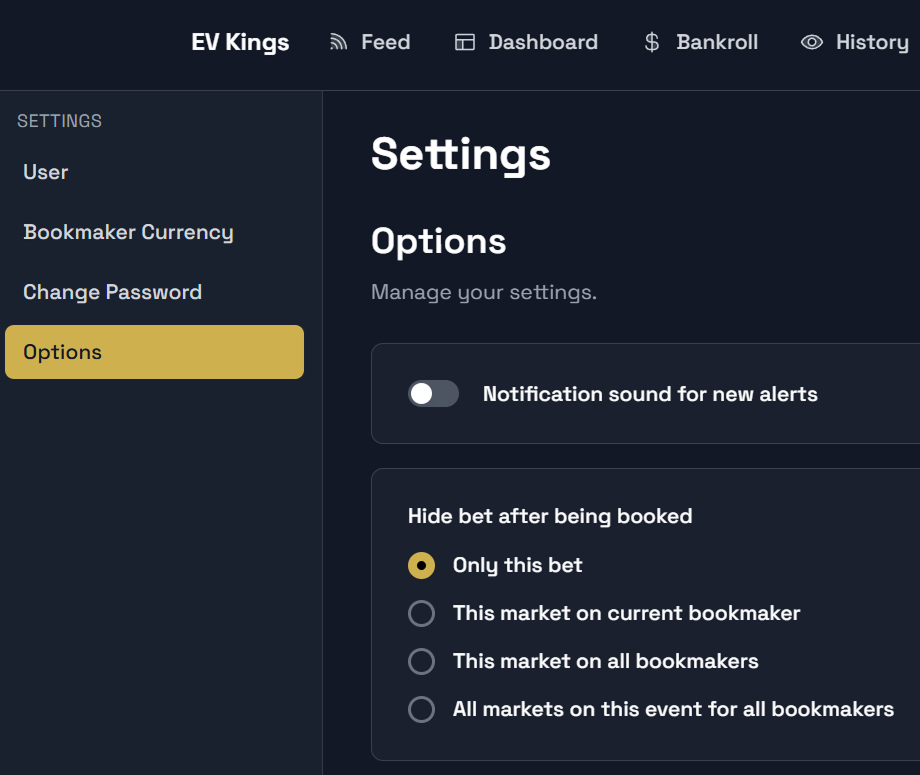
In this final section, you can manage your security, account preferences, and how the platform handles your booked bets. These settings ensure the tool behaves exactly how you want it to during a session.
Account & Preferences
Access these settings via the cog icon to manage your profile and betting workflow:
Account Management: Your central hub for profile details and subscription status. This is also where you can Change Password to keep your account secure.
Bookmaker Currency: Set your preferred currency for each specific bookmaker. This preference is used when calculating stakes, though it can be overridden by your last used currency in the feed.
Notification Sounds: Under the Options tab, you can toggle the notification sound on or off. Choose a sound that clearly alerts you when a new edge is detected.
Post-Booking Actions: Decide what happens to a betting card after you’ve booked it. You can choose to have it automatically hidden from the feed to keep your workspace clean and focused on remaining opportunities.
PRO TIP: CURRENCY CONSISTENCY
Ensure your Bookmaker Currency settings match your actual accounts at each bookie. This prevents any calculation errors when the tool suggests stakes, allowing you to place your bets faster and with higher precision.
You're all set!
You have now configured your account, understood the math behind the Betting Card, and set up your tracking. It’s time to put your edge to work.